
User Profile
Overview
The User Profile section gives you access to your personal account settings and API credentials. Located in the top-right corner of the RobusTest interface, click your username to access a dropdown menu with the following options:
- Profile — View and manage your account settings and API access key
- Help — Open the RobusTest documentation
- Support — Contact the RobusTest support team
- Logout — Sign out of your account
Profile Settings
Name
Your display name on RobusTest. This name appears in project member lists and activity logs. You can update it at any time.
Email Address
Your registered email address. This is used for notifications and account communication. Email addresses cannot be changed after account creation — contact support if you need to update it.
Access Key
Your personal API access key is used to authenticate API calls and CI/CD integrations.
Access key actions:
- Copy — Copy the key to your clipboard
- Show/Hide — Toggle visibility of the key on screen
- Reset — Generate a new access key. This invalidates the previous key immediately.
Important: Resetting your access key will break any existing integrations using the old key. Update all systems before or immediately after resetting.
Using the access key:
Include your access key as a query parameter when making API calls:
# Upload a build
curl -X PUT "http://<your-robustest-server>/v3/project/<projectID>/build?accesskey=<your-access-key>" \
     -F "build=@path/to/app.apk"
The access key is required for:
- Remote build uploads via the API
- CI/CD pipeline integration
- Running automated test jobs via the Hub
Help
Click Help from the user dropdown to open the RobusTest documentation in a new browser tab.
Support
Click Support from the user dropdown to access the support ticketing portal.
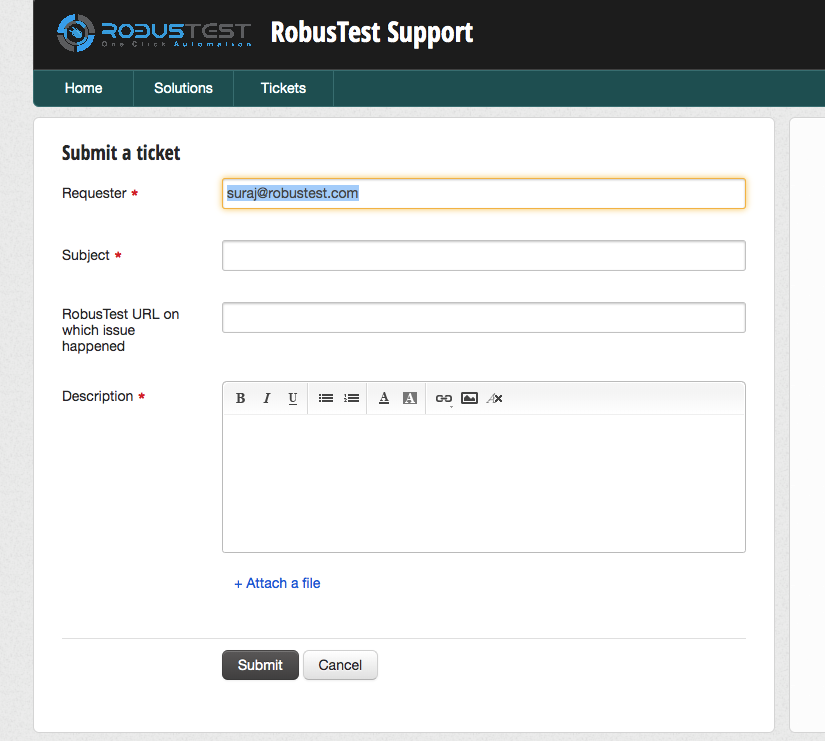
Creating effective support tickets:
When raising a support ticket, include:
- A clear description of the issue
- Steps to reproduce the problem
- Expected vs actual behaviour
- Device, browser, and platform details
- Any relevant screenshots, logs, or error messages
Support categories:
- Technical Issues: Platform bugs, performance problems, or functionality questions
- Account Management: User access or permissions
- Integration Support: API usage, CI/CD integration, or custom development
Logout
Click Logout from the user dropdown to securely sign out of your RobusTest account.